
If you’ve ever clicked a button to count people, repetitions, or items, you’ve already experienced how a tally counter works — and tools like digital tally counters have made the process faster, easier, and distraction-free. Whether used in events, fitness, research, or worship, tally counters remain one of the simplest and most reliable counting tools, even in today’s digital age.
In this guide, you’ll learn how a tally counter works step by step, the difference between mechanical and digital counters, and how to use them accurately in real life.
What Is a Tally Counter?
A tally counter is a simple device used to count occurrences one by one with a single press or click. Every press increases the count by one, allowing users to track totals without mental calculations.
Tally counters are commonly used for:
- Attendance tracking
- Inventory counting
- Fitness repetitions
- Research observations
- Dhikr and religious recitations
- Sports scoring
Types of Tally Counters
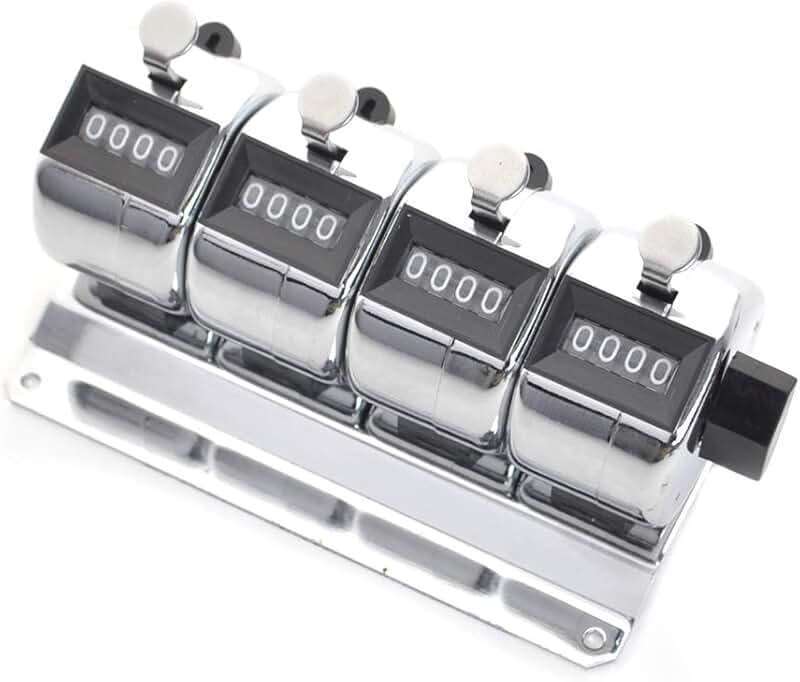
These are classic handheld devices with a physical button.
Mechanical Tally Counter – Working Points
- Works on a Spring & Gear System
When you press the button, an internal spring moves and turns the number wheel forward by one. - No Battery Required
This makes mechanical counters a good fit for outdoor and long-term use. - Physical Click Feel
Each press gives tactile feedback, so you know the count has registered.
Digital Tally Counter – Working Points
- Software-based counting system
With every click, the software adds 1 to a stored digital value. - Track Multiple Counters at Once
You can count several different things at the same time. - Save and Export Options
Digital tools such as the
Tally Counter Chrome Extension
can save your counts for reporting. - Automatic Backup
Many digital counters back up your counts automatically, so data isn’t lost if the system crashes.
How Does a Tally Counter Work Step by Step?
Step 1: Start From Zero
Most tally counters begin at 0. If not, use the reset button before starting.
Step 2: Define What You’re Counting
Decide clearly what each click represents:
- One person
- One item
- One repetition
- One observation
Step 3: Press Once for Each Occurrence
Every time the event happens, press the button once.
The internal mechanism or software instantly increases the count by 1.
Step 4: Monitor the Display
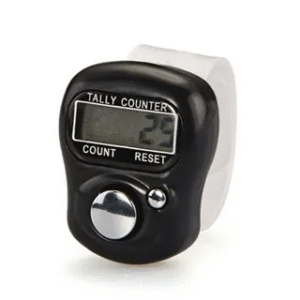
The screen or digit wheel shows your live total so you can track progress in real time.
Step 5: Save or Record the Result
- Mechanical counters require manual note-taking.
- Digital counters may store your total automatically.
Step 6: Reset for the Next Session
Use the reset button to prepare for a new counting task.
How Digital Tally Counters Work Differently
Digital tally counters rely on software instead of gears and springs.
Here’s what happens electronically:
- You press the button or click the screen.
- Software detects the input.
- The stored variable increases by +1.
- The updated number appears instantly.
- Optional features include log history or export counts.
Platforms like ClickTallyCounter work this way without needing downloads or sign-ups.
Real-World Examples of How Tally Counters Work
- Event organizer: Clicks the counter as every guest enters.
- Gym trainer: Tracks push-ups during training sessions.
- Researcher: Counts survey responses in real time.
- Shop owner: Checks inventory during stock audits.
- Student: Tracks study repetitions or memorisation sessions.
In each case, the working principle remains the same — one click = one count.
Tips for Accurate Counting
- Stay focused while counting
- Avoid double-clicking too fast
- Pause if you get distracted
- Use digital counters for high-volume tracking
- Keep a backup note for critical counts
Benefits of Understanding How a Tally Counter Works
- One Click = One Count
Every time you press the button, the counter increases by one. This same rule applies to both mechanical and digital counters. - Automatic Number Increase
Mechanical counters use moving gears, while digital counters update the number through software. - Live Display System
The count appears on the screen or number window right away, giving the user a real-time update. - No Mental Counting Required
Users don’t need to remember the count in their head, which greatly reduces the chance of mistakes. - Reset Feature Available
Every tally counter has a reset option that lets you start a new counting session from zero. - Works Offline Too
Mechanical counters work without electricity, and digital counters like
ClickTallyCounter can also count without an internet connection. - High-Speed Counting Support
For rapid events like entry counting, gym reps, or inventory, it delivers fast and accurate results.
FAQ: How Does a Tally Counter Work?
Q1: Does a tally counter work without the internet?
Yes. Mechanical counters work fully offline, and many digital tools also function without internet after loading once.
Q2: Can I use a tally counter on my computer?
Yes, browser-based tools like ClickTallyCounter and digital extensions make this easy.
Q3: What powers a mechanical tally counter?
It uses a spring and gear system, not electricity.
Q4: Are digital tally counters accurate?
Yes, they are highly accurate as long as each action is counted with a single click.
Q5: Can tally counters track multiple counts at once?
Digital versions can track multiple counts simultaneously, unlike most mechanical devices.
Conclusion: Understanding How a Tally Counter Works Makes Counting Effortless
Now that you know how a tally counter works, you can confidently use both mechanical and digital versions for precise, stress-free counting. From events and fitness to research and daily tasks, tally counters continue to be one of the simplest yet most powerful productivity tools. Try a fast, free digital counter at ClickTallyCounter, share this guide with someone who counts daily, and leave a comment with how you use tally counters in your routine.