

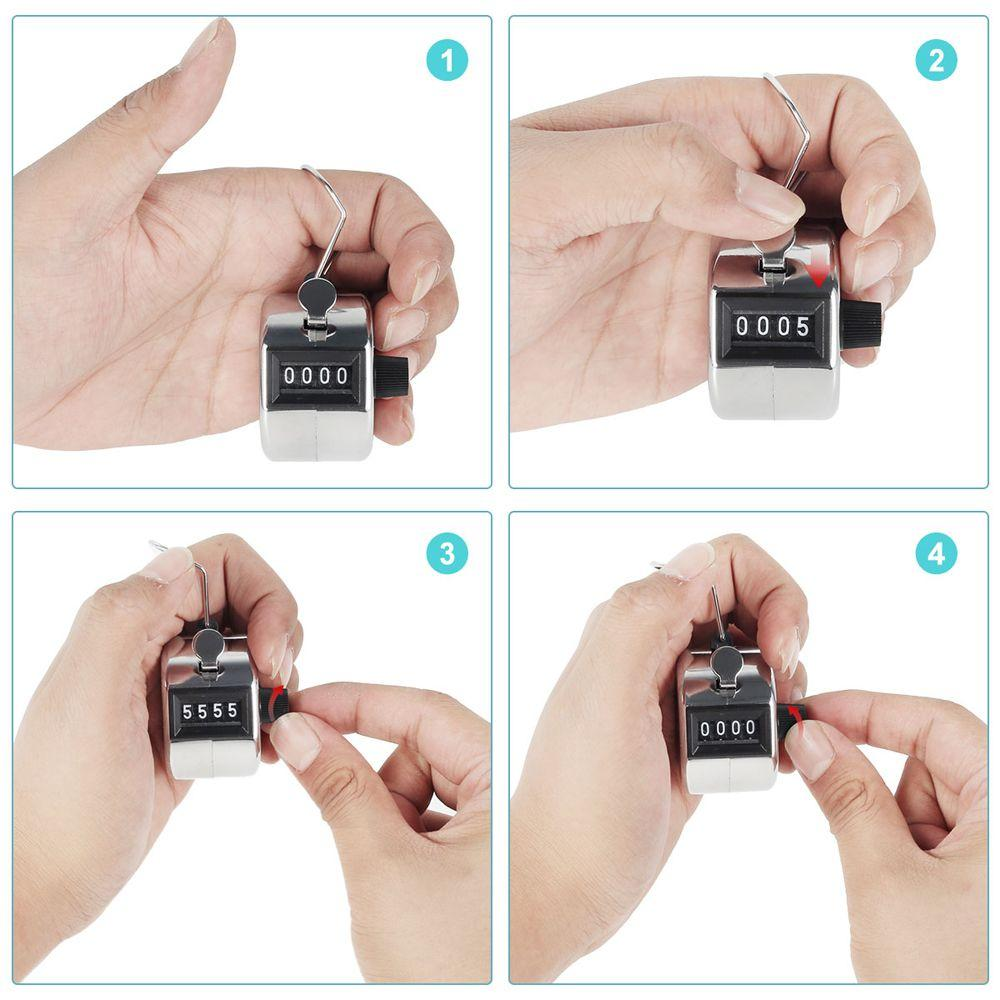
If you’ve ever wondered how to do a tally counter effectively, you’re not alone. Tally counters, whether mechanical or digital, are essential tools for counting people, tracking inventory, or monitoring repetitions. They provide accuracy, simplicity, and focus — especially when manual counting can get overwhelming.
In this guide, we’ll show you step-by-step how to use a tally counter, tips for accuracy, and how modern digital tools can make your counting tasks easier.
Why Using a Tally Counter Matters
Even in a digital era, tally counters remain relevant because they:
- Increase accuracy: One click per count ensures reliable results.
- Save time: Count multiple items or people quickly.
- Reduce distractions: Unlike spreadsheets or apps, tally counters focus solely on counting.
Digital options like the Tally Counter Chrome Extension provide additional features, such as multiple counters and reset options, while keeping the simplicity intact.
Types of Tally Counters
Mechanical Tally Counters
- Classic handheld counters with a click button and rotating number wheels.
- Durable, battery-free, and ideal for outdoor use.
- Perfect for events, attendance tracking, or simple counting tasks.
Digital Tally Counters
- Available as apps, browser extensions, or standalone devices.
- Offer features like multiple counters, exportable data, and fast resets.
- Useful in research, habit tracking, inventory management, or sports tracking.
Step-by-Step Guide: How to Do a Tally Counter
Follow these steps for accurate counting:
1. Choose Your Counter
- Pick mechanical for rugged use.
- Use digital for multiple counters or data export needs.
2. Set the Starting Point
- Most counters start at zero.
- Some digital counters allow custom starting numbers.
3. Assign What You’re Counting
- Clearly define your task: attendees, repetitions, inventory, or birds spotted.
- Use labels if your counter allows multiple counters.
4. Count Consistently
- Press the button once per item or event.
- Avoid skipping or double-clicking for accurate results.
5. Use Tally Marks for Backup (Optional)
- For mechanical counters, tally marks on paper help cross-check counts.
6. Reset and Record Results
- After counting, note down the final number.
- Reset the counter to zero for the next session.
- Digital counters often allow saving or exporting counts for easy tracking.
Tips for Effective Counting
- Stay focused: Avoid distractions during counting tasks.
- Divide large counts: Use multiple counters for high-volume tracking.
- Regular checks: Cross-check with tally marks or digital logs for accuracy.
- Maintain your device: Clean mechanical counters and update apps regularly.
FAQ: How to Do a Tally Counter
Q1: Can I use a digital tally counter on my phone or computer?
Yes, browser-based counters like ClickTallyCounter and extensions like the Tally Counter Chrome Extension make counting easy on multiple devices.
Q2: What’s the difference between mechanical and digital tally counters?
Mechanical counters are simple, battery-free, and rugged. Digital counters offer extra features like multiple counts, data saving, and fast resets.
Q3: How do I avoid mistakes while using a tally counter?
Press the button consistently, avoid multitasking, and cross-check with tally marks or a backup counter if needed.
Q4: Are tally counters still useful today?
Absolutely! They remain practical for events, inventory, research, fitness tracking, and more due to their simplicity and reliability.
Conclusion: Mastering Your Tally Counter
Learning how to do a tally counter properly can save time, improve accuracy, and make any counting task smoother. Whether you choose mechanical or digital, following consistent steps ensures reliable results every time. Try a digital tally counter today, share your experiences in the comments, and subscribe for more practical tips on productivity and tracking tools!